Blog · Weekly Review
A Weekly Review on Paper: The 7-Move System That Works
The one habit behind my success as an engineer is a routine I repeat every week. Here it is: seven moves on one printed page.
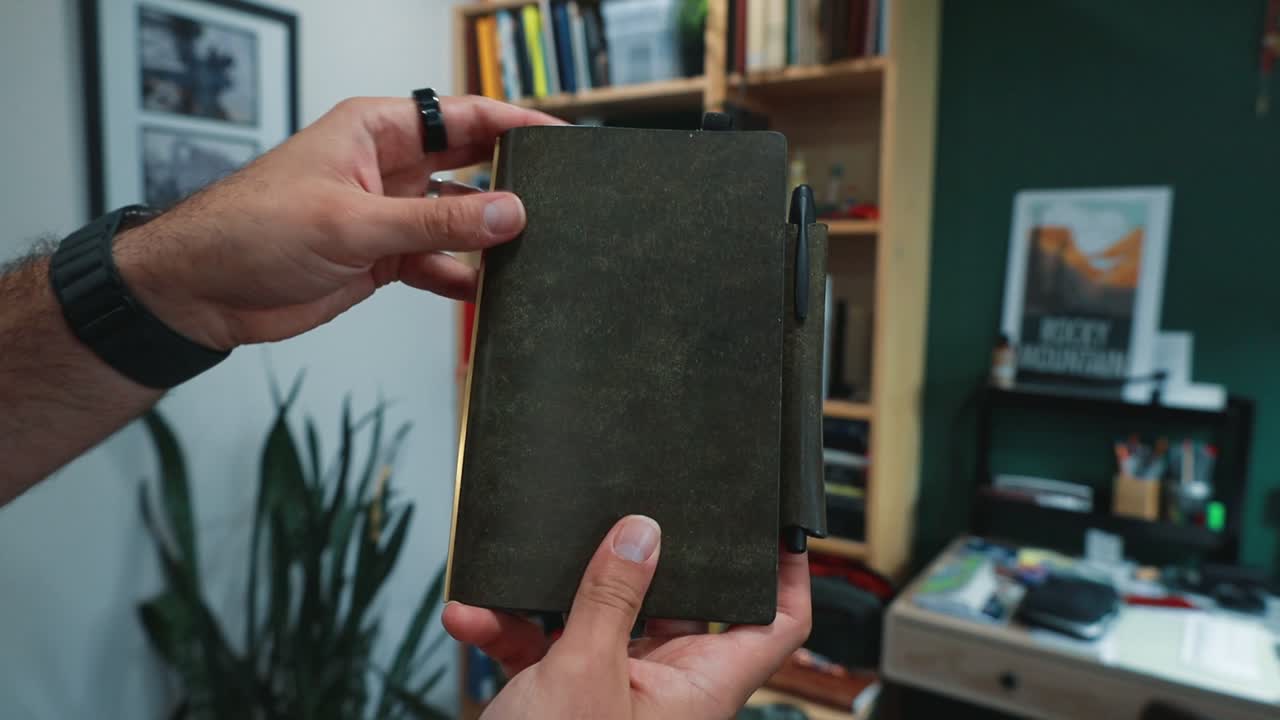
Six of the seven moves on my weekly review page are easy. The one that does the real work is the line where I cross things out.
Where the review lives
My biggest frustration with other planners was that I couldn't move pages around. Projects grow and shrink, and I never know in advance how much space one will need. A ring planner with removable inserts is serving me much better than a bound notebook I'm stuck with for a full year.
I keep the week overview in the front of a MeePlus SlimPad, personal size, and the weekly review in the back. The weekly pages are a tri-fold insert I designed, with the review on the left and the plan for the next week on the right, so one opening gives me a bird's-eye view of the whole week.
Paper also gives the review an honest constraint: the page does not get bigger because I had a busy week.
The seven moves
The review sheet has seven boxes: what moved, what didn't move, one risk per project, protected time, deep work, killed or postponed, and decisions logged. The first two are a record of the week. The other five turn that record into action.
Moves 1 and 2: what moved and what didn't
Move 1 is the first box on the sheet, labeled "Moved." It records what actually advanced, not what I planned.
During the week I carry a pocket notebook and write everything down as it happens, with no organization, just a running timeline. On Saturday or Sunday I use that notebook to fill in this box with anything that moved a project forward, at work or in the rest of my life.
Move 2 is the box underneath: what didn't move. There's no judgment attached to it.
Some things simply don't happen in a given week, and they carry over to the next one. Writing them down keeps them from getting stuck and makes sure I actually act on them.
Move 3: risk, not status
Move 3 is one line per project, work or personal, naming the risk. Here is what that looks like on a real project: we are waiting on shop drawings, and if those drawings land on Friday, the fabrication slot moves and I lose two weeks of work.
I design bridges, so project timelines matter a lot, and keeping track of them is a big part of the job.
A status describes where something is. A risk describes what a slip will cost you.
The status is a record of what happened, while the risk is a decision waiting to happen. Only the risk makes me pick up the phone and make the call that keeps the project on track.
Moves 4 and 5: protected time and deep work
Move 4 is protected time. How am I protecting time with my family, and the focused time I need at work? I write these down because they are the first things to quietly disappear if they aren't on the page before everything else claims the space.
Move 5 is deep work. I aim for one deep work block per day, which lets me finish work on time and still protect time with my family.
Move 6: killed or postponed
Move 6 is where I decide what to remove. Which tasks do I know I shouldn't be taking on, and which ones am I ready to admit will not happen? It could be something at work, a volunteer commitment, or anything I simply don't have time for.
This is the hardest line to write. Leaving a task on the list feels like I'll still get to it, and killing it feels like letting myself down. Believe me, though: removing something that deep down was never going to change anything meaningful is a real relief.
The test is one question. If this is still on the page in three weeks, will I be glad I kept it, or annoyed at writing it down 20 times? If it's the second one, it goes.
Postponing counts, but only with a real date. A narrow date column runs down the side of the sheet, and a postponed task gets a specific date there so I actually get to it.
Crossing something out because it's never going to happen feels like losing. It's also what keeps the page honest, and keeps you honest about what you're doing.
Ryder Carroll built the same idea into the Bullet Journal's migration ritual: a task either moves forward or gets crossed out. Nothing carries forward by inertia, so the page holds only the things that actually need to happen.
Move 7: decisions logged
Move 7 records any decisions made that week. I keep a similar decision log in my project template, with each decision and its date, so if someone asks later I can point to exactly what was decided and when.
During one weekly review, I wrote a note about a project that had complications in the design process and a lot of back-and-forth communication. It looked like we had missed something, and part of the work had been done incorrectly because of a miscommunication.
That one line sent me back on Monday morning to make a call that changed the design process.
Why it holds up
David Allen argues that anything on your mind without a trusted home outside your head keeps burning energy, whether it matters or not. The Zeigarnik effect explains why: unresolved commitments stay active in working memory until they are finished, captured, or placed somewhere you trust.
For me, that trusted place is this planner. Anything unresolved is either in the weekly review or carried into next week's plan.
What paper can't do
Paper is bad at reminders. It can't buzz when something is due, and it can't remind me on Tuesday about something I wrote down on Sunday. That's why some things still live on my digital calendar.
I also don't do engineering calculations or write reports on paper. That work lives in digital tools, where my company keeps the information and I can share it with the team. Paper is for thinking, and digital is for storage.
The paper system complements the digital one rather than replacing it. I write everything on paper first, then move it to digital if it's worth keeping. Thinking on paper has helped me process information in both my personal and work life.
The gear worth a look
- MeePlus SlimPad: the ring planner the review lives in.
MeePlus sent me the SlimPad to test. The link above is a referral link. It saves you a little money and it helps the channel.
Watch the full walkthrough
MeePlus Ring Planner Setup: The 7 Moves That Run My Week walks all seven moves in order, on the printed sheet.
Frequently Asked Questions
When do you do the weekly review?
I do the weekly review at the end of the week, on Saturday or Sunday, using the notes in my pocket notebook as the record of what actually happened.
What's the difference between a status and a risk?
A status describes where a project is, while a risk describes what a slip would cost, such as losing a two-week fabrication slot. Only a risk makes me pick up the phone and act.
What if I can't bring myself to cross something out?
Ask whether you will be glad the item is still on the page in three weeks, or annoyed at writing it down 20 times. If the answer is annoyed, cross it out or postpone it to a real date.