Blog · Analog Productivity
Analog Tools That Help Me Survive a Digital Desk Job
It's not about replacing all the digital tools with analog tools. It's finding the places where you notice some things are starting to break, and for me that was the constant switching on one screen.
My life is full of technology. I sit at a computer all day. I am constantly on the phone talking to clients, to co-workers.
All these things take away from the deep focus and the work I want to be doing.
Watch the full video for everything shown on camera.
I want to explore some of the analog tools that help me combat that technology overload that I feel when I'm at work all day, when I'm behind a computer, when I'm doing all these things that require a computer.
Short answer: a visual timer, a physical book with a pocket notebook, a pocket notebook system, a pen that is quick to start, and a couple of physical tools. Each one takes a job off the screen.
| Tool | What it replaces | Why it works for me |
|---|---|---|
| Time Timer Visual Timer | Checking the computer clock | I can see time passing |
| Physical book and a two-notebook reading system | Saving notes I never reread | I engage with what I read |
| Kindle Paperwhite | Reading on my phone | Thin, easy to carry, keeps me off the phone |
| Three pocket notebooks in a cover | A master index, a catch-all, and collections | Everything for the day is in front of me |
| Pilot Vanishing Point | Uncapping a fountain pen for one sentence | Writing starts with a click |
| Flashlight and Leatherman ARC | Nothing digital, and that is the point | Tactile tools I use every day |
Coffee first
I usually have at least one or two cups of coffee in the morning, maybe one early afternoon right after lunch.
I grew up in Colombia. I grew up around coffee. So, this is something that I've done for a long time.
And it's almost a ritual where I can make my cup of coffee and then I get into a deep working session.
A visual timer
Paired with that, I usually have this Time Timer. It is just so great to have an analog reminder of time.
As someone that struggles with ADHD, having something like this that is analog and it helps me tell time a little better in a physical manner is super nice.
It just allows me to set a timer, let's say, for 40 minutes.
I just leave it in front of me on my desk, and I know once that timer goes off, I need to move on to the next thing or I can take a break or do something else.
But the main thing I use it for is if I only have, let's say, 20 minutes before a meeting and I want to get something done before the meeting.
I set this timer, 20 minutes, put it on my desk, and I don't have to start constantly checking my computer for the time or worrying that I'm going to miss it.
This thing has an alarm. So once the timer goes off I can move on and get to the meeting.
It's a blessing to have something just tactile that I can put on my desk. Doesn't have to be my phone or an alarm or something else.
Best for protecting a short block of work before a meeting.
Reading a physical book
The next tool is a little more of a practice, a habit that I've started to do a little more in recent years, which is just do a little more reading.
And doing reading in a physical book has changed the way I consume content.
Obviously, I'm able to open the book, feel the pages, and as I'm progressing through the book, I'm able to see how far I've come.
I do like pairing any book with a pocket notebook.
I do have a green and a red highlighter for the things I agree with, the things I don't agree with.
I have a pen that I enjoy writing with and has waterproof ink, so I'm able to highlight over it and I don't have to worry about any smudging or anything like that.
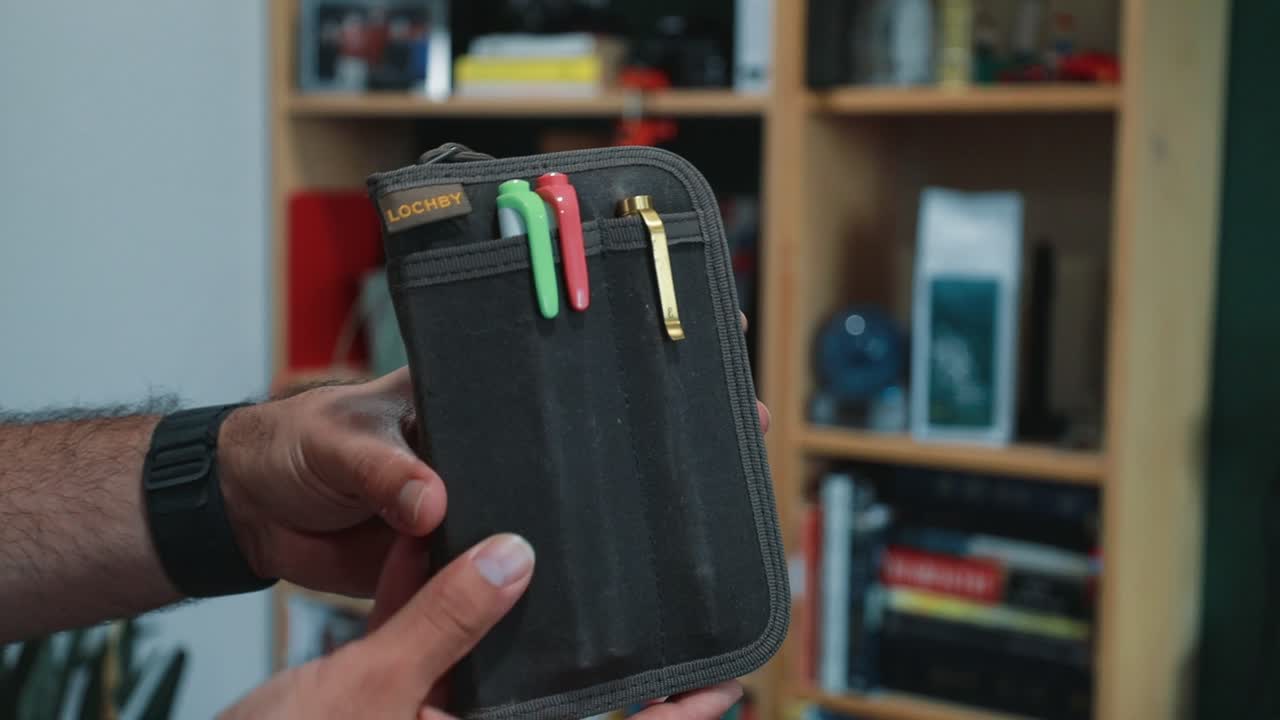
Two notebooks for what I read
And in this LOCHBY Pocket Journal I got two LOCHBY notebooks.
This first one, I just write quotes. Anything that I come across that I want to save, I just put it in there.
Any quotes, anything that I want to remember later, I write the book and the page number, a good way to reference it whenever I need in the future.
The second notebook is actually for the second part of that process where I read the book. Then I put it aside for a few months, few weeks.
Then I go back and look at all the highlights, all the things that I've read, put them down in my notebook, the ones that still feel meaningful and I want to keep.
And then I move to the next notebook, where it is more of the processing, the thinking, the thinking on paper part of the system.
So it's still an experiment, but I've been enjoying the way it's working out.
I look through the first book, find a quote that resonated at the time, write it down in a different color, and then just reflect on that quote and think about how it is impacting my life.
When a book is too heavy
For the times where I don't want to carry a physical book, these can be heavy. Some of them can get pretty heavy.
I do carry a Kindle with me.
I don't exactly remember which year, but it's the Paperwhite, one of the newer ones.
And this thing is super thin. It can stick inside a pants pocket or even just a backpack or anything. And it's easy to carry when I'm traveling.
This is not completely analog, but still feels analog enough that it's worth mentioning.
It's a great way to carry a lot of books and read them, and it has kept me off my phone, which is the main goal here.
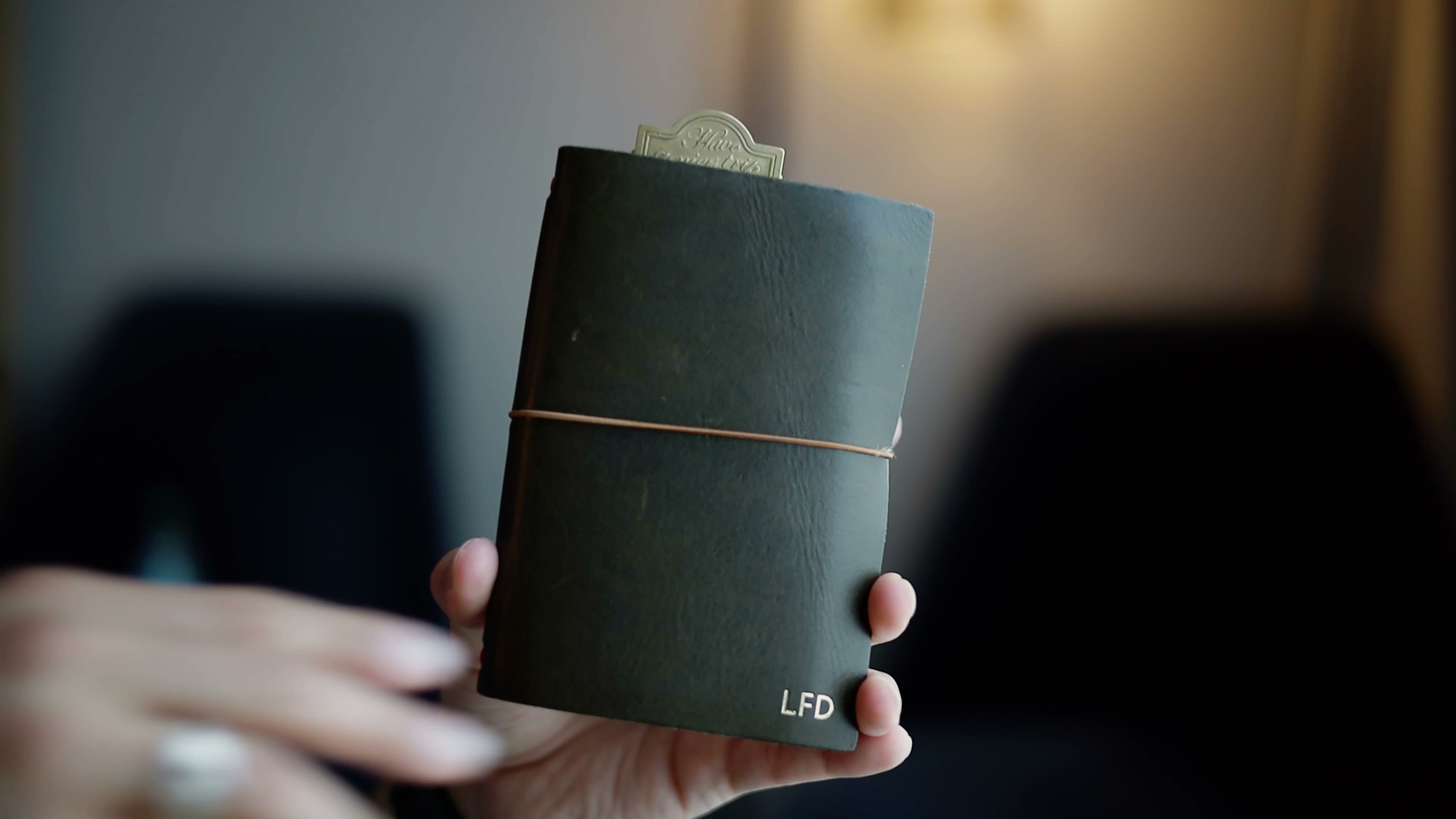
The pocket notebook system
Obviously, the one constant is the pocket notebook. The setup itself changes a little bit.
Right now, it's a three pocket notebook setup where the first notebook is a master index.
I keep things that happen that day, any special collections I want to highlight and mark up in my notebook.
And it's a great way to really index all the different pocket notebooks, work notebooks, any journals, anything that I want to keep in a separate notebook.
The second notebook is my catch all. This is the one that gets filled up the quickest.
It can be really anything that I can think of, and it gets filled up pretty quickly and gets replaced with a different notebook pretty much every week or two at most.
If I just have maybe shorts and don't want to carry a full either sling or backpack or something, I leave this whole thing behind.
I put this pocket notebook in my pocket, with the pen clipped to it.
The last one is a new addition. Maybe last month I started doing collections, similar to the bullet journal method.
So I decided to have a dedicated notebook for collections.
So here I'll write things like spiritual game plans, things I want to do every day, every month, every year.
Any stationery I want to buy, any stationery that I've gotten, any maintenance that I need to do around the house.
The notebooks live in a Paper Republic Grand Voyageur in the pocket size.
Why the notebook beats switching tabs
For me, having a physical notebook where I don't have to switch tabs to take a note about a project and then switch back to my task manager to see what's the next thing and then switch back to my calendar to see what's my next meeting.
All that switching and context switching was, for me especially, very hard to overcome.
I have the pocket notebook open in front of me along with any appointments and anything that I have on that specific day, which allows me to just be more focused on the work.
I know everything else is taken care of.
I know that if I have a meeting the next hour I can set my timer, and I know it's going to go off.
And that way I'm not distracted, thinking about the next meeting, thinking about the next task, thinking about the emails that are coming in, and it allows me just to focus on the work.
Best for keeping tasks and appointments visible while the computer does the work.
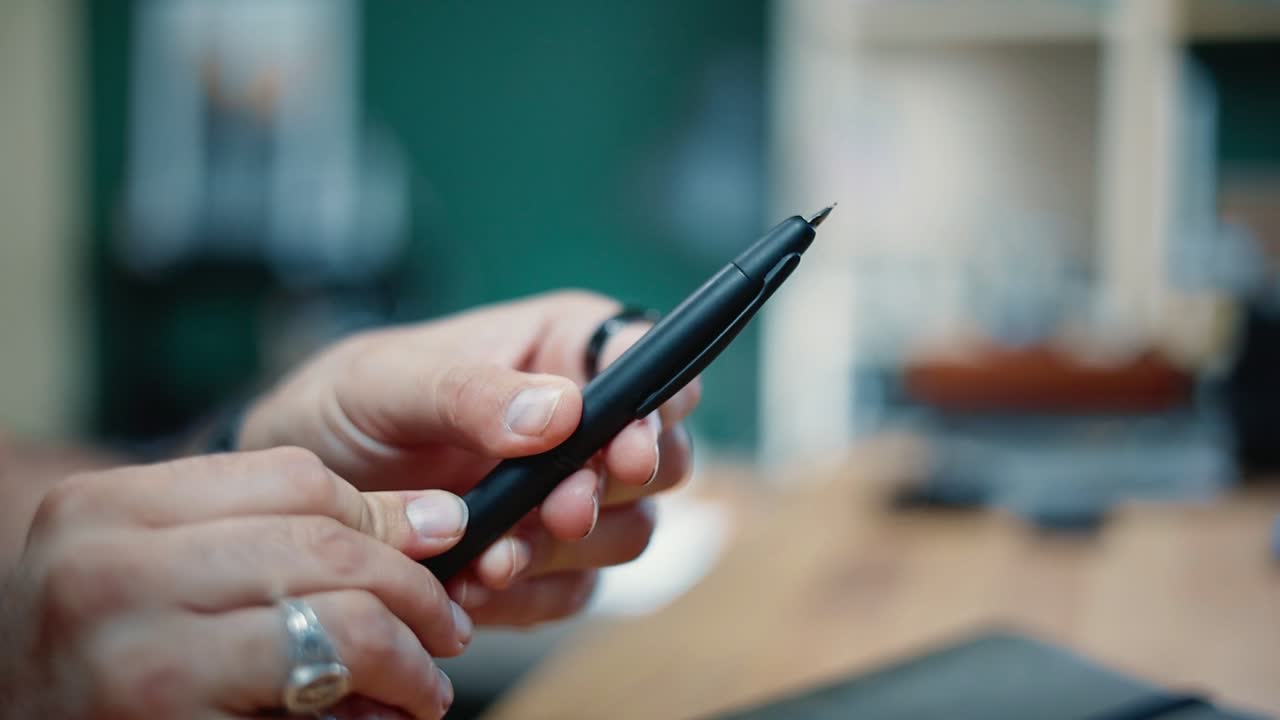
A pen that starts with a click
This one is the Pilot Vanishing Point.
It's a clicker.
I've been loving it just because it's super convenient and allows me just to grab the notebook and start writing with just a click.
Usually a fountain pen is a little more cumbersome where you have to unscrew the cap and pull it out and cap it and whatnot.
But this one is just super quick and efficient, especially when I'm on the go or I just want to write one sentence and am not really sitting down for a journaling session.
Definitely not the cheapest pen, but a really great pen.
Two physical tools
The first is a flashlight from Olight. I got it for Christmas a couple years ago.
It has a UV light, and it does have a pointer, which has been super useful when I'm giving presentations.
And obviously it does have a flashlight mode that allows me to see better in darkness.
The next item is a multi-tool. This one is the Leatherman ARC.
I enjoy it just because of the tactile sensation and all the different things that it has.
The tool set is really complete for what I needed. The knife is MagnaCut. It keeps the sharpness and all of that for longer.
A really complete multi-tool that has a great set of tools that I use pretty much every single day.
It's a little heavy, especially if you pair it with this larger flashlight.
Seeing the progress
One of the hardest things for me when I was going fully digital was not seeing the progress.
When you complete a book, you can stack them and see the progress you have done in a year, two years, 10 years in the bookshelves in your space.
When the timer goes down from a full half an hour, I can see meaningfully when I'm running out of time. I need to maybe speed up and go to the next thing.
It feels like a chore to see a folder full of notes.
But when I have a notebook and I can see five years, 10 years of my life stacked in a set of notebooks, I see the experiences, I see the work that I put into those notebooks.
But just make sure you're using it intentionally. It's not all about doing more or using all the different tools and having 10 notebooks.
Try this on your next walk
Any notebook will do that you have. It can be any pen that you have.
And whenever you go on your next walk, take those two things with you. A notebook and a pen.
And whenever a thought comes to your mind, whenever something that you are seeing or thinking about during the walk, write it down.
The gear worth a look
- Time Timer Visual Timer: I can see time passing without checking the computer.
- LOCHBY Pocket Journal: holds my two reading notebooks.
- Amazon Kindle: for when a physical book is too heavy to carry.
- Paper Republic Grand Voyageur (Pocket): the cover for my three pocket notebooks.
- Pilot Vanishing Point: a fountain pen that starts with a click.
- Leatherman ARC: the multi-tool I use pretty much every day.
Some links above are affiliate links. I may earn a small commission at no extra cost to you.
Related reading
- Analog vs Digital Productivity: Why You Don't Have to Choose
- Analog Planning With ADHD: Why Paper Holds What My Brain Drops
- Best Pocket Notebook for Everyday Carry? I Carry Three Instead
Frequently Asked Questions
Do you have to give up digital tools to use analog ones?
It's not about replacing all the digital tools with analog tools. It's finding the places where you notice some things are starting to break.
How do you use a visual timer at a desk job?
If I only have, let's say, 20 minutes before a meeting, I set this timer, 20 minutes, put it on my desk, and I don't have to start constantly checking my computer for the time.
What is in your pocket notebook setup?
Right now, it's a three pocket notebook setup where the first notebook is a master index. The second notebook is my catch all, and the last one is a dedicated notebook for collections.